





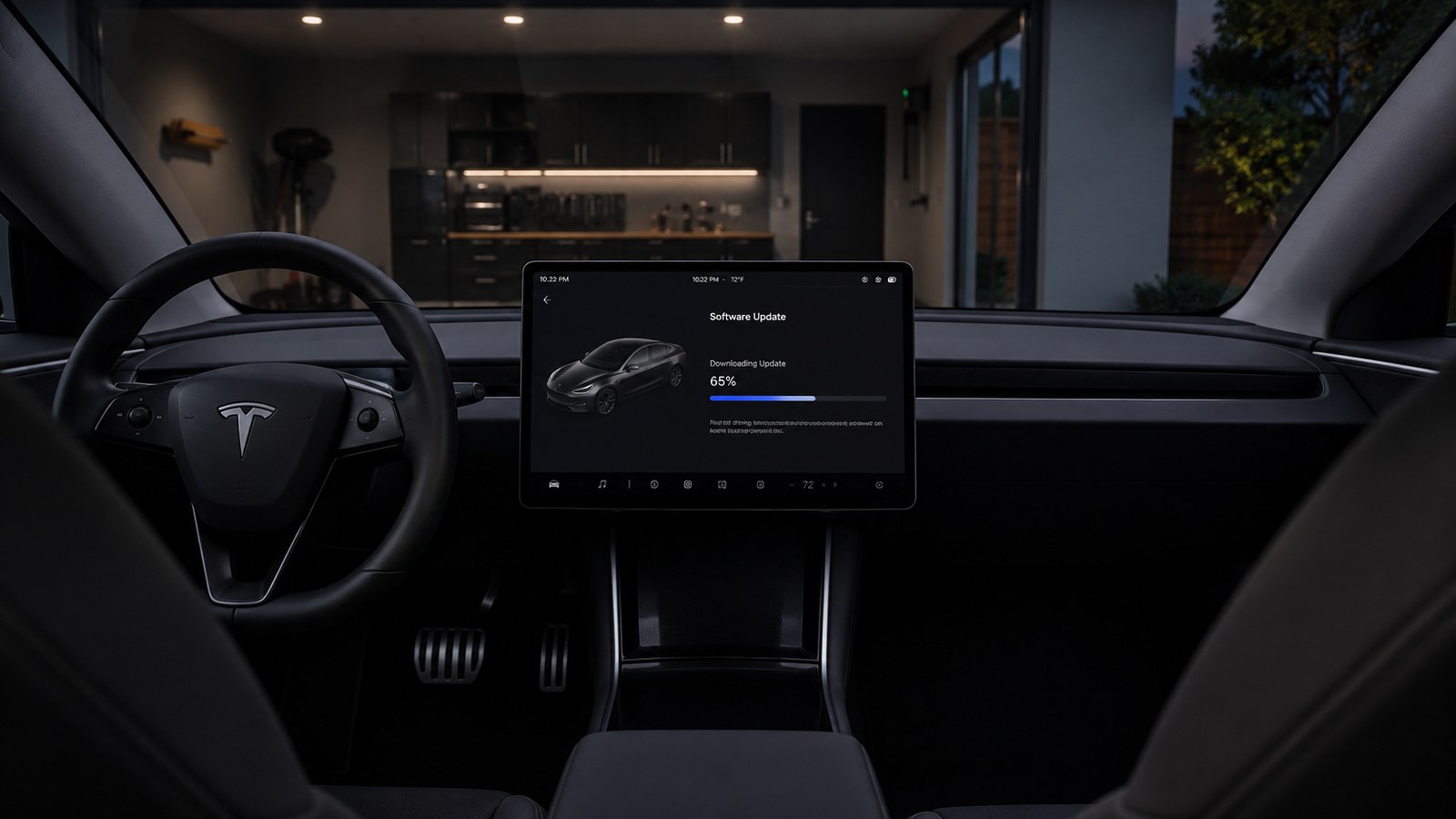
What Is Tesla Update 2025.45.9?
Tesla update 2025.45.9 is a software release built around the FSD v14.2.2.4 firmware, which arrived only about a week after the earlier v14.2.2.3 release. The version number itself follows Tesla’s usual pattern, showing the year and release cycle the update belongs to. This particular update focuses heavily on Full Self-Driving improvements, along with a long list of smaller feature changes across navigation, entertainment, and vehicle controls.
The rollout for this update began with a specific group of vehicles before expanding further. Tesla began expanding the update to more drivers in the United States and Canada, with most recipients upgrading from the prior FSD v14.2.2.3 build. Early tracking data suggested the update reached only a small slice of the FSD-enabled fleet at first, showing that Tesla often rolls out major driving updates gradually rather than all at once.
For everyday Tesla owners, this update matters because it touches nearly every part of the driving and ownership experience. From how the car handles tricky road situations to how the entertainment system behaves, 2025.45.9 packs in a wide mix of changes. The sections below break down each part of the update in detail, starting with the most important piece: the Full Self-Driving improvements.
FSD v14.2.2.4: What Changed
Navigation Integration into Vision-Based Neural Network
One of the standout changes in this update is how navigation now works together with the car’s vision system. Tesla integrated navigation and routing into the vision-based neural network, allowing the system to handle road closures and detours in real time. This means the car can react to blocked roads more naturally, rather than relying only on separate mapping data.
This kind of integration is a meaningful step for self-driving systems because it blends what the car sees with where it is trying to go. Instead of treating vision and navigation as two separate jobs, the car can now make smarter decisions when the road ahead does not match the planned route. Drivers may notice smoother handling when construction or unexpected closures appear during a trip.
New Speed Profile Options
Tesla also expanded how drivers can customize their car’s driving style. The update replaces the older precise speed offset system with more intuitive personality-based options, including a new Sloth mode that favors lower speeds and cautious lane choices while strictly following the speed limit. On the other end of the spectrum, a more assertive option allows for quicker lane changes and higher speeds.
These new profiles give drivers more control over how the car behaves during Full Self-Driving. Someone who prefers a calm, relaxed ride can choose the cautious option, while someone who wants a livelier driving feel can choose the more assertive setting. This kind of personalization has become an increasingly important part of Tesla’s self-driving updates.
Improved Handling of Gates and Detours
Beyond navigation and speed settings, this update also improves how the car handles physical obstacles on the road. Tesla upgraded the neural network’s vision encoder, using higher resolution features to better handle situations involving emergency vehicles, road obstacles, and hand gestures from people. This includes the ability to pull over or yield for police cars, fire trucks, and ambulances.
Tesla also improved how the system handles tricky situations such as unprotected turns, lane changes, vehicles cutting in, school buses, gates, and debris in the road. These changes reflect Tesla’s ongoing effort to make Full Self-Driving feel more confident and predictable in situations that require quick judgment calls, which have historically been some of the hardest scenarios for self-driving systems to handle well.
New Driving and Navigation Features
This update introduces several changes designed to make trip planning smoother. Drivers can now reorder their navigation favorites, set Home or Work by dropping a pin anywhere on the map, and view suggested destinations based on recent trips and habits. On top of this, Tesla is now pinning all favorites, Home, and Work locations directly on the map, making it easier to orient yourself and notice nearby saved places.
A new Brake Confirm setting also changes how Full Self-Driving gets started. Brake Confirm for the Start Self-Driving button is now turned off by default, meaning drivers no longer need to press and release the brake to confirm engagement unless they turn the setting back on. This small change simplifies the process of starting a self-driving trip, though cautious drivers can still re-enable the extra confirmation step if they prefer it.
Navigation also received a boost for commuters who use carpool lanes. The system can now automatically use HOV lanes based on time, passenger count, and road restrictions. Combined with the new Arrival Options that let drivers choose where the car should park, such as a driveway, parking lot, or curbside spot, these updates aim to make everyday trips feel more thought out and less repetitive.
Entertainment and Toybox Updates
Tesla continues to add playful touches to its in-car entertainment system. Rainbow accent lighting during Rave Cave is now synchronized to music, found under App Launcher, Toybox, and Light Sync. This kind of feature shows how Tesla blends serious driving technology with lighter, fun additions that appeal to owners who enjoy showing off their car’s personality.
Music lovers also get a smoother listening experience with this update. Seamless scrolling is now supported for large Spotify playlists, albums, podcasts, audiobooks, and library items, though this requires an AMD Ryzen-equipped vehicle. This fixes a small but noticeable annoyance for owners with large music libraries who previously had to deal with slower, page-by-page scrolling.
Related: Do The Driving Modes In Cadillac Lyriq Offer Different Ranges Or Battery Usages?
Even small sound details got attention in this release. The Lock Sound feature now includes the Light Cycle sound from Tron Mode, found under Toybox and Boombox. While minor, these kinds of additions are part of what keeps Tesla’s software feeling fresh for long-term owners who enjoy exploring new features hidden throughout the car’s menus.
SpaceX Docking Simulator Replaces Boomerang Fu
One of the more talked-about changes in this update is the removal of a beloved in-car game. Boomerang Fu has been removed and replaced by SpaceX Docking Simulator. This change surprised some owners who had grown fond of the multiplayer party game during long charging stops or waiting periods.
The reasoning behind the switch appears to be tied to licensing. The previous game’s license likely expired after being included in the prior year’s holiday update. Rather than leaving the Toybox with one less game, Tesla filled the space with a title connected to its sister company, SpaceX, giving owners a new way to pass the time while their vehicle charges.
Reactions to the swap have been mixed among the Tesla community. Some owners miss the fast-paced, competitive nature of Boomerang Fu, while others appreciate the novelty of a docking simulator tied to real spaceflight technology. Either way, the change shows how Tesla treats its in-car games similarly to a rotating entertainment library, swapping titles in and out as licensing agreements shift over time.
Charging and Tire Management Features
This update continues to build out features that were introduced in earlier releases but remain relevant to 2025.45.9. Owners can allow their vehicle to share charging data with Tesla, supporting features like Charge Stats within the Tesla app. This gives drivers a clearer picture of their charging habits and history over time.
Seasonal tire management also became easier with recent updates carried into this release. Drivers can configure their tire season and record seasonal tire swaps under Controls, Service, and Wheel and Tire. This is a helpful addition for owners in regions with harsh winters, since it creates a simple record of when tires were changed without needing to track it manually elsewhere.
New wheel designs also became available to more vehicles. Wheel designs originally introduced on the Standard Model 3 and Model Y, including the 18 inch Prismata and 18 inch Aperture wheels, are now available to equip in the vehicle visualization across all models. Even though this does not change the actual wheels on a car, it does let owners preview and select from a wider range of designs directly through the software.
Interior and Convenience Updates
Model S and Model X owners will notice a change to how suspension settings are organized. Air suspension controls for these models now appear in the main Controls section instead of requiring a separate Suspension tab, a layout already used in 2026 models, while 2025 and older vehicles keep the more detailed menu. This small reorganization makes suspension adjustments quicker to reach for drivers who use them often.
Dashcam functionality also improved with this release. Owners can now view their Dashcam USB drive’s storage usage, including how much space is used by Dashcam footage and the total drive size. Combined with this, dashcam clips now include added details like speed, steering wheel angle, and self-driving state, visible during playback on both the vehicle display and the Tesla app.
Grok, Tesla’s built-in AI assistant, also gained new abilities in this update. Grok can now add and edit navigation destinations, acting as a personal guide that can find a nearby restaurant, locate a Supercharger near a coffee shop, or plan a sightseeing route. This feature blends voice assistance with everyday trip planning, giving drivers a more conversational way to interact with their car’s navigation system.
Other Notable Additions
Tesla added a lighthearted feature for owners who enjoy capturing moments inside their car. Tesla Photobooth lets owners take selfies from inside the vehicle and apply filters, stickers, and emojis, with photos shareable through the Tesla app while the car is in Park. It is a small but fun way for families and friends to create memories tied to their vehicle.
Seasonal features also received attention in this release. Santa Mode now includes festive snowmen, trees, a lock chime, and snow effects for a 3D visual treat, found under Toybox and Santa. Alongside this, a new Light Show called Jingle Rush can be played instantly or scheduled up to ten minutes in advance, either alone or synced with other Tesla owners nearby.
Supercharger visualization also improved for trip planning. Owners can now view a 3D representation of select Tesla Superchargers by tapping View Site Map. Combined with continued Paint Shop customization options and a wide range of smaller UI improvements throughout the system, this update reflects Tesla’s usual approach of pairing big functional changes with plenty of smaller quality-of-life touches.
Read more: Toyota vs Honda Reliability: Breaking Down the Real Differences
Should You Update to 2025.45.9?
For most Tesla owners, this update is worth installing simply because of the Full Self-Driving improvements. The combination of better navigation integration, upgraded obstacle handling, and more personalized speed profiles makes the driving experience noticeably more refined for those who use FSD regularly. Owners who rely on Supercharger trip planning or seasonal tire tracking will also benefit from the smaller convenience features bundled into this release.
That said, the update is not without minor complaints. Some owners have reported that navigation still behaves unpredictably at times, such as turn signals overriding the planned route and forcing a recalculation. These are relatively small annoyances rather than major flaws, but they are worth knowing about before expecting a flawless experience.
Overall, 2025.45.9 is a solid update that continues Tesla’s steady pattern of refining Full Self-Driving while adding small conveniences throughout the car. Owners who value the latest self-driving improvements and enjoy exploring new in-car features will likely find this update well worth installing, while those who prioritize a completely bug-free navigation experience may want to keep an eye on user feedback as later point releases continue to smooth out these minor issues.